Configure
The Configure group in the “Node” area brings together the settings that do not belong to the server services: access accounts and the electronic programme guide (EPG) subsystem. Its screens are available to the administrator role.
Users / Logins
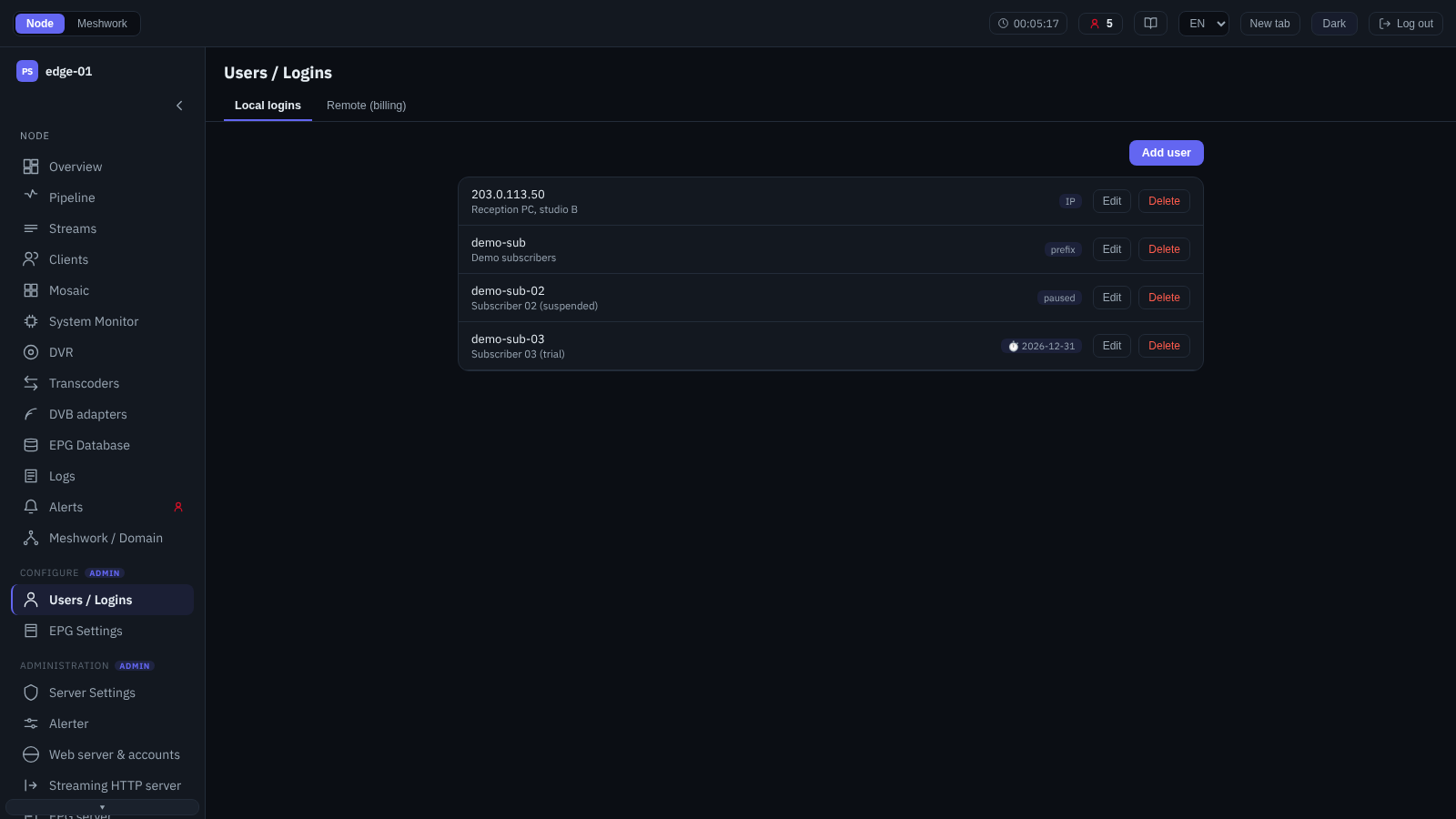
Users and logins.
Controls the access of stream receivers to the node. The screen contains these tabs:
- Local logins
Stream receiver accounts, for the clients of OTT delivery and of the peer protocols. Each account has a login and a password or “IP address account” (the “IP address / CIDR” field; a single address and ranges are supported), “Allowed streams” (an empty list allows all), concurrent connection limits per protocol (PS1, SRT, HTTP/HLS), “Expiry date”, pause and “Prefix login” for integration with middleware (12. Middleware integration). The web interface login accounts and their roles are configured on the “Web server & accounts” screen (Web server & accounts); the roles are described in Access and roles.
- Remote (billing)
Stream receivers are authorised through an external system: instead of the local check, an HTTP request to a third-party server confirms the login. At the top of the tab is the “Billing service” card with the “Billing request interval (s)” parameter. Below it is the ordered “Billing servers” list; when a login is checked, the servers are queried in list order (the order is set by dragging, and on a narrow screen by the
Alt+↑andAlt+↓shortcuts, see Keyboard operation). Each server has a “Name”, “URL”, password, “Timeout (s)”, “Session accounting”, “Login prefix” and “Login suffix”, and the “Connector” set to “Universal (HTTP)” fully describes the exchange: the HTTP request template (query, body, “Content-Type”, headers with template substitutions for the login, the password, the IP and so on) and the parsing of the response (the “Response format” field with the values HTTP status code, JSON body or XML body, as well as the paths to the success indicator and to the rejection reason). “Trace” enables logging of the exchange. “Prefix login”, a built-in alternative to external billing, is described in 12. Middleware integration.
User: add and edit
The window for creating and editing a stream receiver account; it opens from the “Add user” button or from “Edit” in a list row on the “Local logins” tab. Fields:
“Login” and “Password” — an ordinary account; when editing, an empty password keeps the current one. The “IP address account” flag replaces the “login — password” pair with the “IP address / CIDR” field (a single address or a range), and “Prefix login” enables the middleware integration mode (12. Middleware integration).
“Allowed streams” — the streams and adaptive bundles the account is admitted to; an empty list imposes no restriction, so all of them are allowed. The list only permits: a particular stream cannot be forbidden, it can only be left out of the list; access can be closed entirely with the “Protocol forbidden” state in the connection limits, but that closes a protocol, not a single stream. A deleted stream stays in the list as a dead row: the interface shows it struck through and removes it on save, while an edit made through the API, bypassing the interface, is rejected in its entirety because of such a row. Until the row is removed, not even the account’s note can be changed. If by the time the node starts none of the streams in the list still exists, the account gets no stream at all, not all of them.
“Max connections, PS1”, “Max connections, SRT” and “Max connections, HTTP/HLS” — separate limits on simultaneous connections for each of the delivery protocols. Each of them has three states: “No limit”, “Protocol forbidden” (the account is not served on this protocol at all) and “At most” with a number. The prohibition is stored as zero and meant a prohibition in earlier builds as well, so the meaning of saved settings does not change after an update; there was no separate “No limit” state before 2.0.1.263, a deliberately large number stood in for it, and such accounts keep working. The HTTP/HLS limit is counted separately for direct MPEG-TS delivery and for OTT sessions, each set up to the stated number. They behave differently: a direct delivery connection over the limit is refused, while a new OTT session evicts whichever of this login’s earlier sessions has been idle the longest.
“Expiry date” and “Paused” — disable access on a schedule or temporarily, without deleting the account.
“Display name” and “Note” — for the operator’s own records; they do not affect access.
A set HTTP/HLS limit also applies to direct MPEG-TS delivery: earlier builds enforced it there only at the value of 1, so wherever the limit was once set with room to spare and never checked, surplus connections will be refused after the update.
What happens to the account’s current sessions when it is edited depends on what exactly has changed. The list of allowed streams breaks sessions only where it has taken access away: adding a stream to a non-empty list and going back to an empty list affect nobody, while narrowing the list closes the PS1 and SRT sessions on the streams the list no longer allows. Adding the first stream to an empty list also counts as narrowing: until then all streams were allowed. For HTTP/HLS the disconnection still applies to the whole account: an OTT session is authorised again and continues from the player’s next request if access to the stream remains, while a direct MPEG-TS delivery connection is closed and the receiver reopens it itself. Lowering the connection limit, including a switch from “No limit” to a number, closes every session of the account on that protocol, not only the surplus ones; raising the limit and switching to “No limit” affect none of them. Pausing the account or entering an “Expiry date” that has already passed closes all of the account’s sessions at once, whereas the date falling due by itself does not break them: it only refuses the next login, and sessions already started hold until the receiver disconnects on its own. In builds before 2.0.1.263, any edit of the list of allowed streams disconnected the account entirely on all protocols, including the streams the edit did not concern.
The web interface login accounts and their roles are set not here but on the “Web server & accounts” screen (Web server & accounts).
EPG Settings
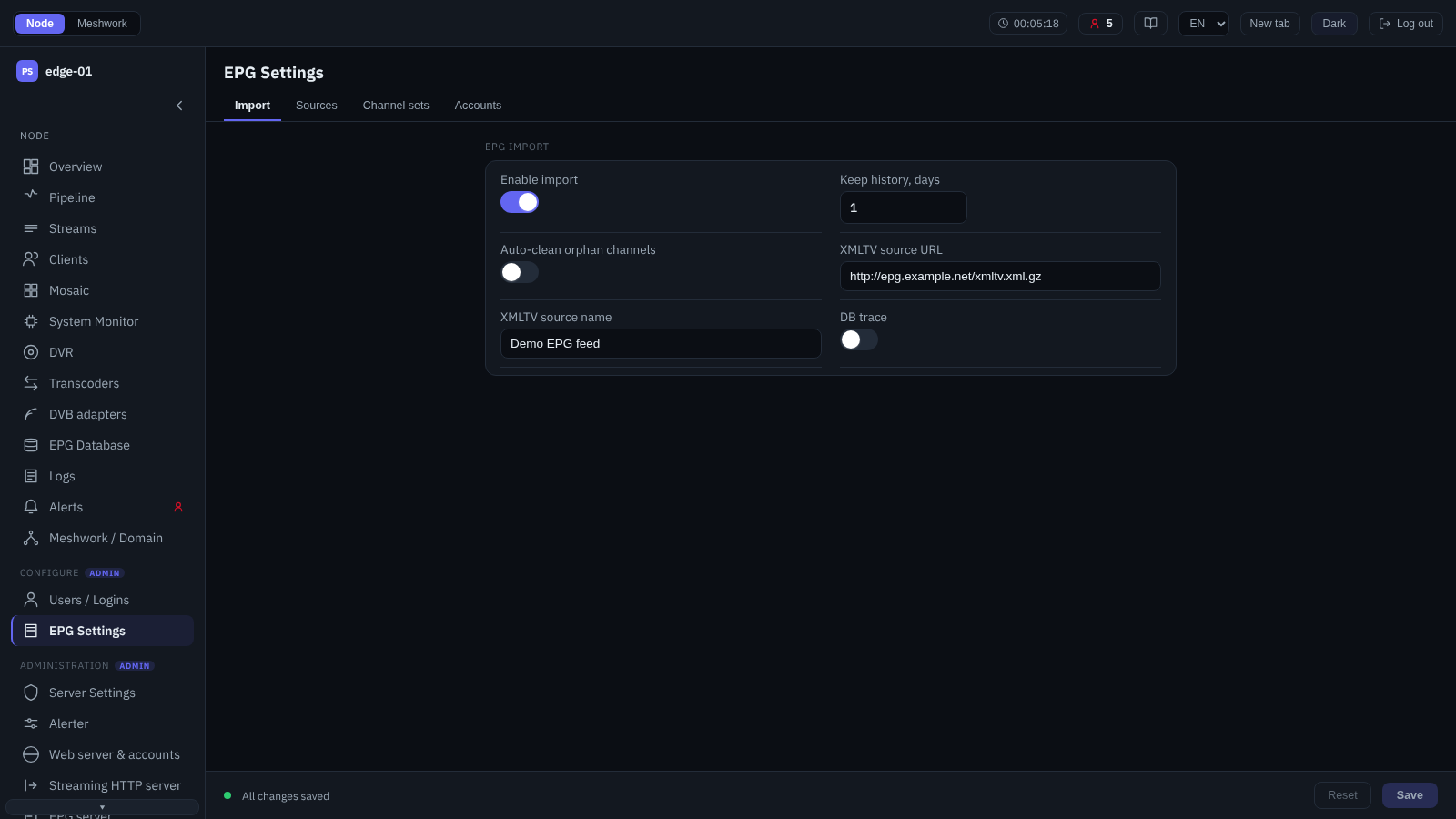
EPG settings (import).
Settings of the electronic programme guide: where the data comes from and how it is delivered. The collected guide is viewed on a separate screen, “EPG Database” (EPG Database). The screen contains these tabs:
- Import
General parameters of programme guide import: “Enable import”, “Keep history, days” (how long past events are kept), “Auto-clean orphan channels”, and also the “XMLTV source URL” and “XMLTV source name” of the main external source. EPG import as a whole is described in EPG/XMLTV import.
- Sources
A list of external XMLTV sources. For each one: “Name”, “Source URL / path”, the “Enabled” flag, “Update interval, s”, “Content encoding” (auto-detect or forced GZip), credentials and Cookies for restricted web resources, and “Save downloaded copy” for diagnostics (Source configuration). Since version 2.0.2.419, “Update interval, s” is followed by the “Fetch timeout, s” field: from 0 to 3600, 0 means 30 seconds; a value out of range prevents saving the source.
- Channel sets
Named sets that group channels for delivery to external consumers. A set is created on this tab (name and note), while its composition, that is, which channels it contains, is defined in the EPG database (EPG Database). How the sets are applied to delivery is described in EPG for OTT middleware.
- Accounts
Access of external consumers to the built-in EPG server, that is, the XMLTV download. Each account has a login and a password, a “Channel set” (it defines what is delivered; without a set the delivery is empty), an “Expiry date”, “Allowed IP” and the “Paused” flag. Since version 2.0.2.419, the “Channel set” field is followed by the “All channels on /xmltv-src” switch (off by default): with it, the full export serves all channels of the selected sources rather than only the set; the regular
/xmltvdelivery ignores it. XMLTV delivery is described in XMLTV delivery and Full export with mapping data.
The EPG subsystem as a whole (EIT generation and delivery for OTT middleware) is described in EPG/EIT.
